
RiftBroadcast
Broadcast tools for esports productions
RiftBroadcast is a set of tools for live broadcasts of League of Legends and other esports events: overlays, timers, team and match management, champion select and more, all integrated with OBS Studio.
Technologies
- React
- Next.js
- TypeScript
- WebSocket
- OBS integration
- Real-time APIs
- OCR
- Stream Deck API
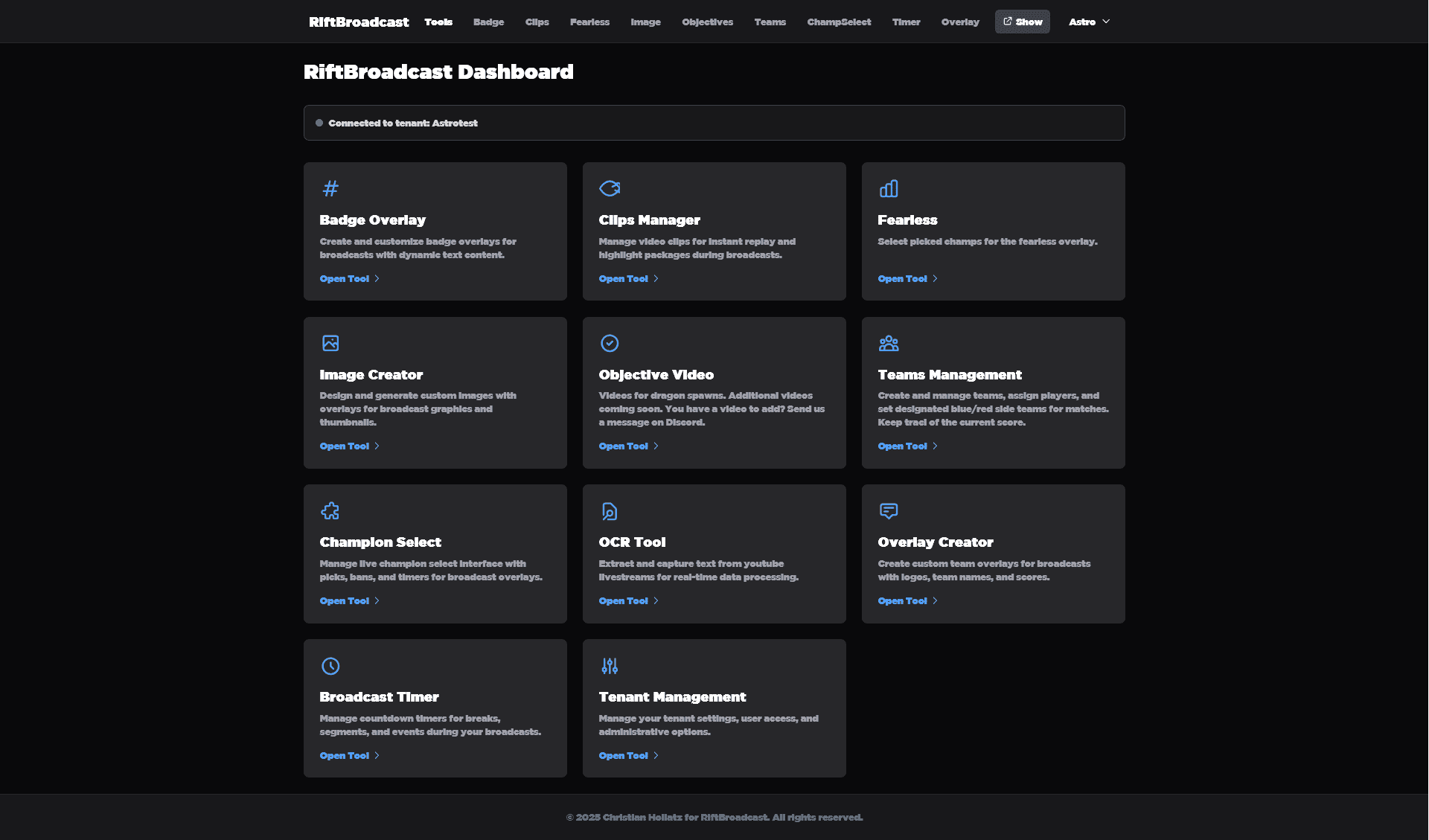
Overview
RiftBroadcast brings the tools needed for an esports broadcast together in one place. Each tool fits into an existing production workflow and is shown in OBS Studio as a browser source.
The feature set ranges from simple text overlays to a complete champion select view and is geared towards League of Legends broadcasts.
Overlays and displays
Badge overlays: Text overlays that can be positioned freely to show information during the broadcast.
Broadcast timer: Countdowns for breaks, segments and events, with start, pause and reset.
Fearless Champions: Champion line-ups shown as rotating groups or in a single overview.
Team and match management
Team management: Create teams, assign players and keep the score up to date live.
Champion select: A live view of the draft with picks, bans and timers.
Objective videos: Video overlays for OBS whenever an objective spawns, covering every dragon type as well as Baron, Herald and Grubs.
Content and media tools
Clip management: Twitch and YouTube clips with adjustable start time and duration, for highlights and replays.
Image Creator: Design custom graphics for overlays, thumbnails and announcements.
OCR: Text recognition on YouTube live streams to read information from the video in real time.
Bracket manager: Create and manage tournament brackets and show them directly on stream.
Objective video assets
The objective tool comes with its own videos for every major event on the map:
Dragons: Infernal, Mountain, Ocean, Cloud, Chemtech, Hextech and Elder Dragon
Other objectives: Baron Nashor, Herald, Grubs and the top and bottom Atakan spawns
The videos are prepared for streaming platforms and can be played on stream directly from the objective tool.
Team collaboration
Multiple users: Invite other people to your organization, such as the whole production team.
Roles and permissions: Admin and user roles with secure sign-in.
Show tokens: Tokens for embedding displays in OBS; several displays can share the same token.
Real-time sync: Changes to timers, teams or overlays show up immediately for every team member.
OBS integration
The tools are added to OBS Studio as browser sources with token authentication:
- Live updates: Changes appear in every overlay without a reload
- Token-based security: Every display authenticates with a token
- Stream Deck API: Control via an Elgato Stream Deck with custom buttons
Technical implementation
- WebSockets for real-time communication
- OCR to extract data from streams automatically
- Integration with Twitch, YouTube and OBS Studio
- Responsive layout for different screen sizes
- Token authentication for team collaboration
The aim was tooling that runs reliably during a live production while staying easy to pick up.